
Technology offers us a unique opportunity to extend learning beyond the classroom. Students only spend 20% of their lives at school so the learning that takes place at home is extremely important to their future success. The iPad maximises the opportunity for Challenge Based Learning, which leads to greater creativity, independence, resilience, teamwork, challenge and results, by allowing a student’s work to happen wherever, whenever. Our vision is that every child will have access to an iPad for their sole use both at home every evening, during the holidays and at school, to ensure that they can learn at any time. The iPad gives the opportunity to develop personalised student-centred learning. Our decision is based on a range of educational research that shows it encourages engagement, collaboration, leadership and enquiry skills which will promote learning and progression.
Our iPad 1:1 scheme has been highly praised by Ofsted, through Trust visits and by the local authority. Particular praise has been given for the way that iPad use is now embedded into our curriculum and the way our students use iPads responsibly and effectively in lessons. As you will know, we do not allow iPad use during social time, this is because we prioritise students’ face to face social interactions at that time.
It is true however, that in the modern world much of the socialising that young people do is online, via social media and messaging platforms etc. Keeping young people safe in this online world is hugely important but can be a thorny issue. In order to support you in this endeavour, we have put together some advice and further links that may be of use.
We do hope you find the attached helpful. Should you ever have concerns regarding your child’s safety online that you would like support with, please do get in touch with their form tutor or achievement coordinator.
Social media advice and guidance: Please click here
General online safety advice for parents and students: Please click here
For additional information on On-line Safety, follow the links below:
Setting up a student iPad
A pdf setup guide is here.
You can find a video showing you the full set up here.
Camillle, boarder.
Read More
My name is Kate Armstrong, I’m in year 12 and I’ve been part of the Steyning Grammar School family for four years now.
Read More
I have really enjoyed my three years so far at SGS, I have taken part in my fair share of clubs and have enjoyed all of them.
Read More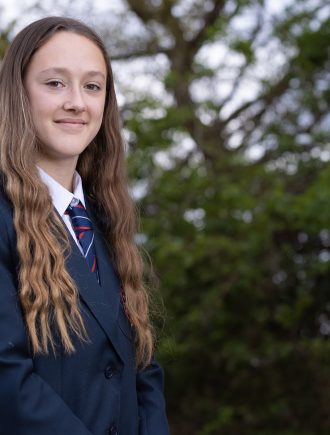
What I have loved about my three years so far at SGS are the brilliant resources and facilities. For example, I really enjoy the library at shooting field, which has a range of books and ebooks (which I can read on my iPad at home and at school).
Read More


